Tutorial for Formuler​

Here's a tutorial to set up the IPTV app (MYTV Online) on Formuler from scratch, Easy steps!

To run the IPTVON service on your Formuler Box, simply use MYTV Online 3 App or MYTV Online 2 App. Follow the steps below for easy setup:

Setup IPTVON service on your Formuler via MyTV Online 3

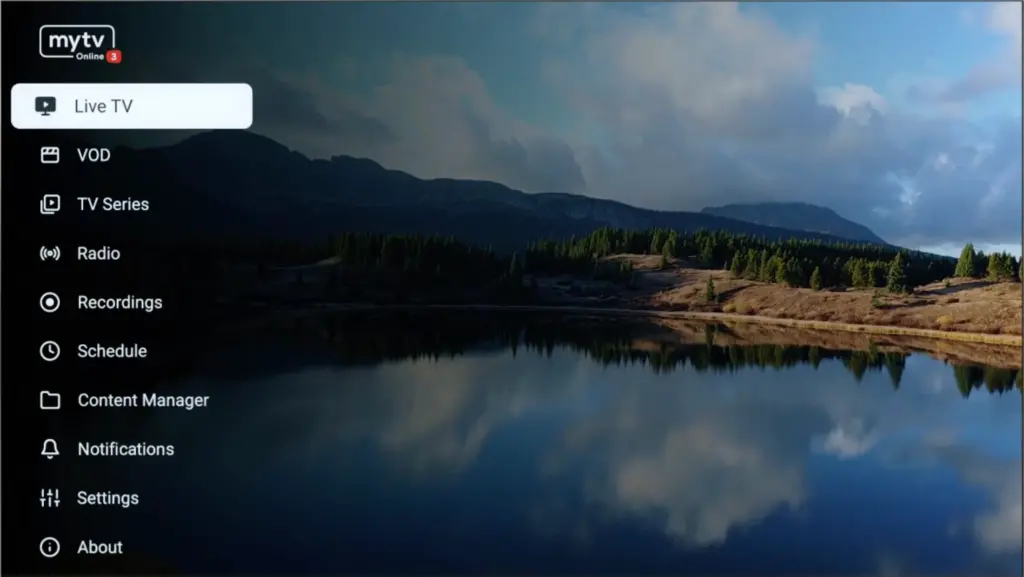
Step 1: Open MYTV Online 3.
Navigating the iptvon main menu on MyTV Online 3 to access live television and VOD services.
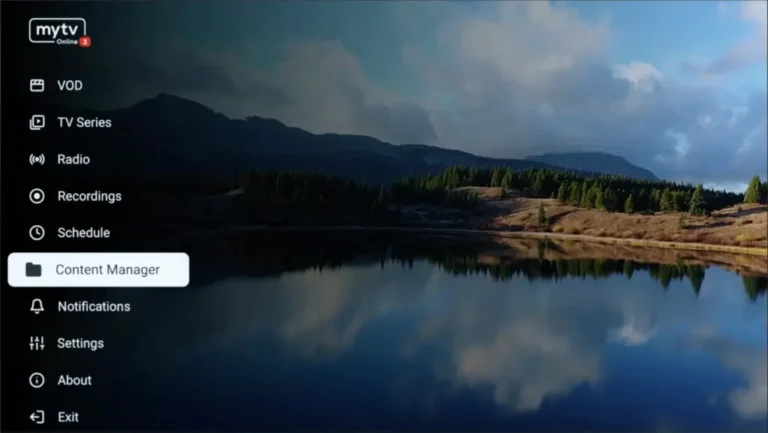
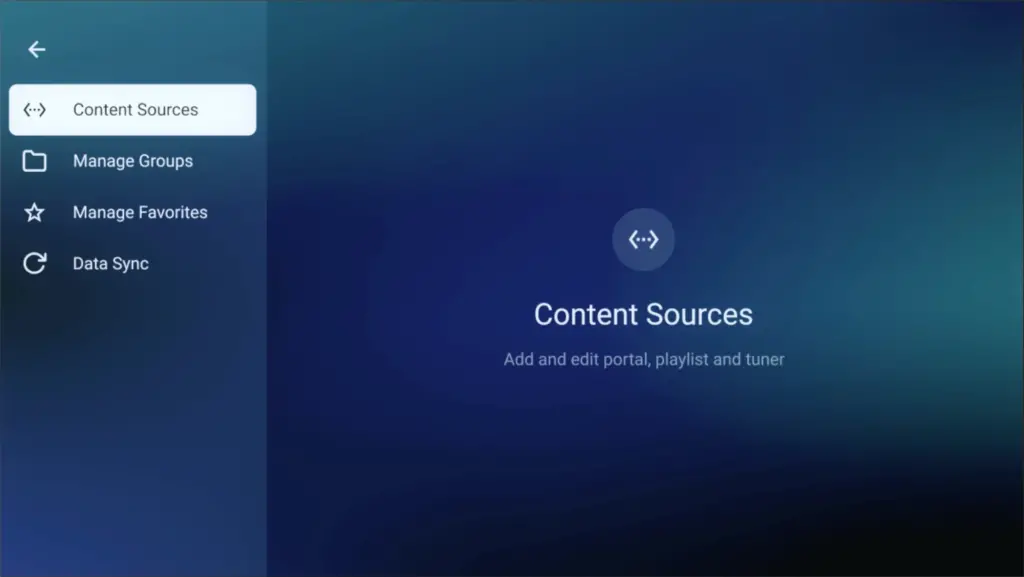
Step 2: Go to Content Manager Then Go to Content sources > +Add.
User navigating the iptvon content manager on the mytv Online 3 app for live streaming and VOD access.
Interface of iptvon showing the content sources menu to add and edit streaming portals and playlists.
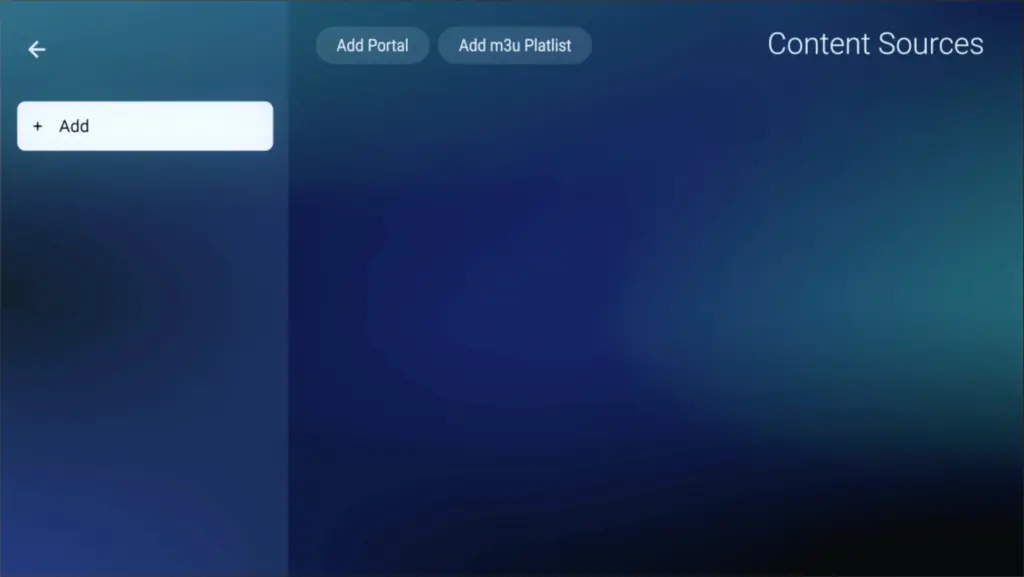
Adding an M3U playlist or portal URL within the iptvon app interface to access streaming content.
Step 3: select “Add Portal”(Highly recommended) to set device as a MAC base device like MAG boxes.
Here you have an ID of your box, Click on the eye icon to see the full MAC address (or you can find it at the bottom of your box. Look for a label that says “MAC” or “MAC Address). After payment, submit the Form with your device’s MAC address. This step is essential for activating your IPTVON Service subscription. Get Your Subscription Here.
Step-by-step interface for adding a portal URL and M3U playlist within the iptvon app settings.
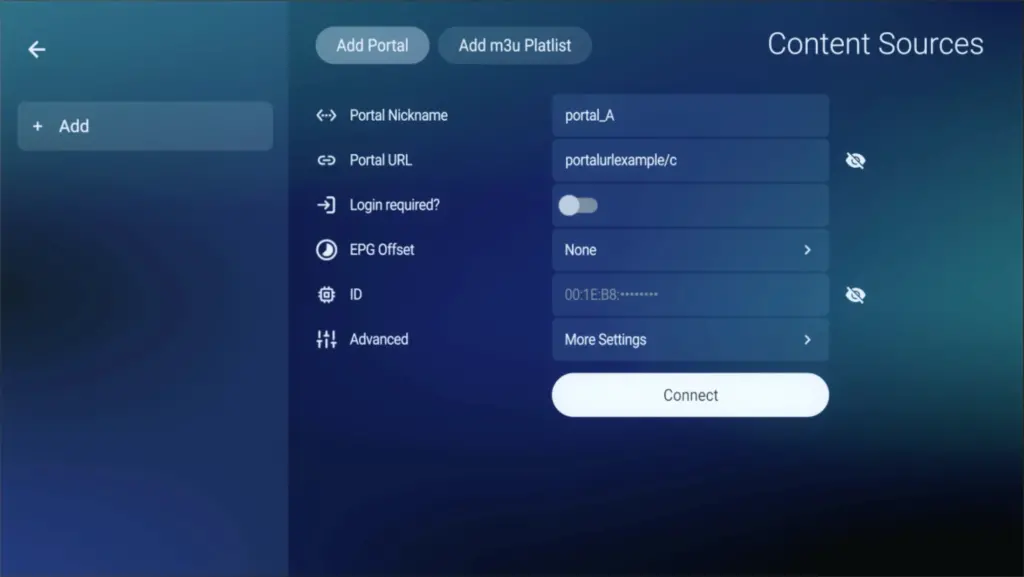
Step 4: Enter “IPTVON” as the Portal Nickname in the first box. Then in the second paste the Portal URL provided by us after subscribing and Click on “CONNECT”.
User configuring portal URL and server settings on the iptvon player interface for live streaming.

Congratulations! You’ve now completed the setup of MYTV Online 3 for seamless streaming.

Step 1: Open MYTV Online 2.

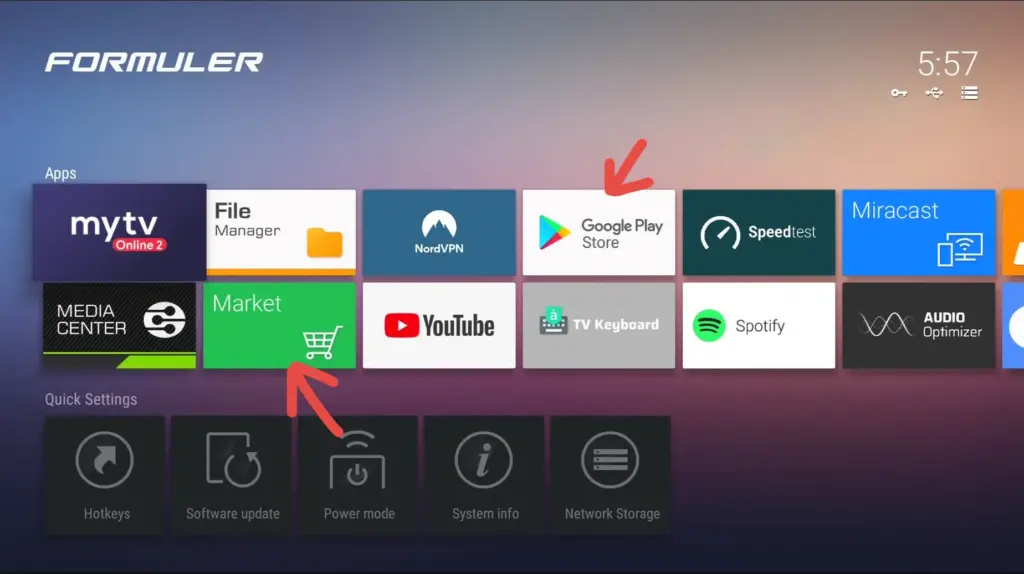
If you don’t have this application on your device you can download it from the Market Store or from the Google Play store.

Navigating the Formuler dashboard to download streaming apps for iptvon via the Google Play Store and Market.
Step 2: Open MYTV Online 2 and Go to Menu > Connections
Step 3: Select “Add Portal”(Highly recommended) to set device as a MAC base device like MAG boxes.

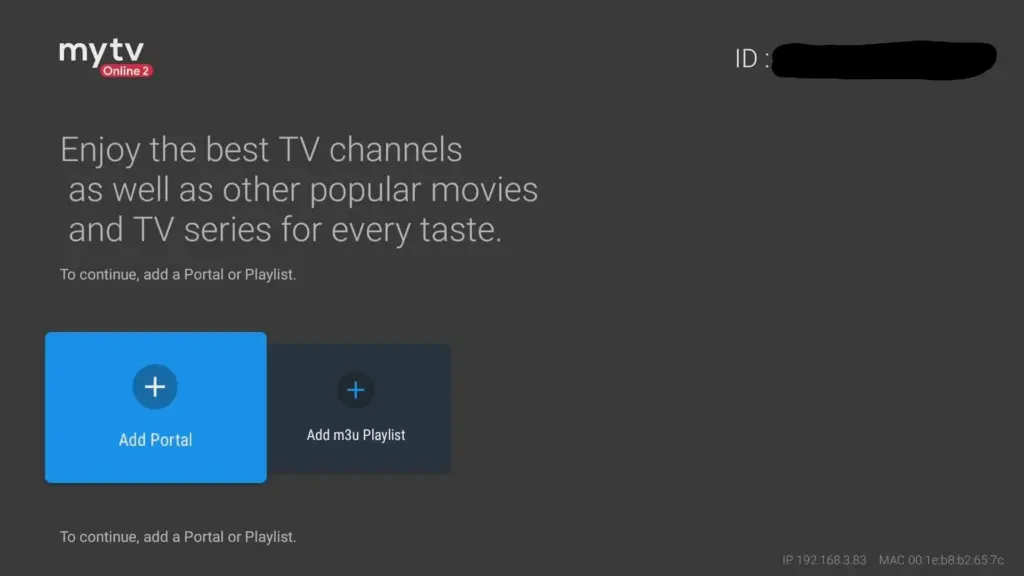
Locate the MAC ID of your box at the top right of this page. After payment, submit the form with your device’s MAC ID. Replace the 00:1E:B8:XX:XX:XX from the MAC Address (you can find it at the bottom of your box) with 00:1A:79:XX:XX:XX to obtain the MAC ID. This step is essential for activating your IPTVON Service subscription. Get Your Subscription Here. 

Setup screen for the mytv Online 2 app showing how to add a portal or m3u playlist for your iptvon service.
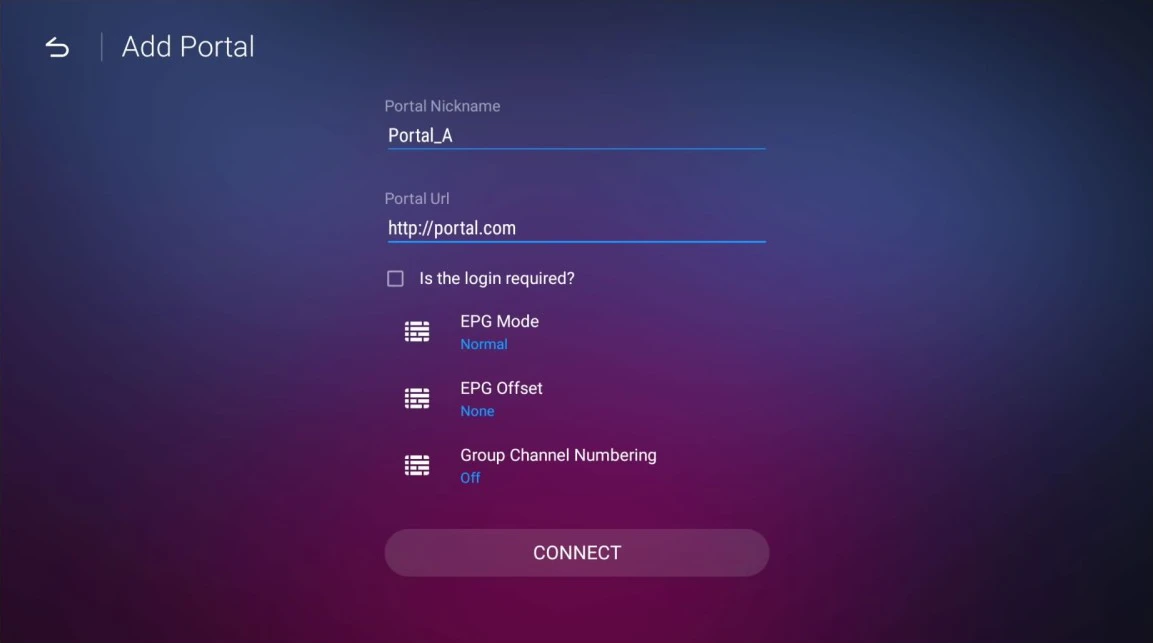
Step 4: Enter “IPTVON” as the Portal Nickname in the first box. Then in the second paste the Portal URL provided by us after subscribing and Click on “CONNECT”.
Configuration screen showing how to enter a portal URL and nickname for streaming on iptvon.

Setup IPTVON service on your Formuler via MYTV Online 2

Congratulations! You’ve now completed the setup of MYTV Online 2 for seamless streaming.