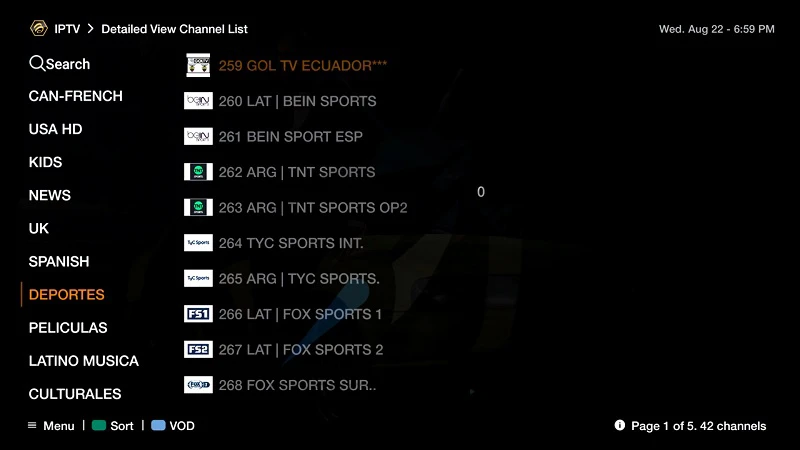
To begin using the IPTVON service on your BuzzTV Box, Follow the steps below for easy setup:
Set up your BuzzTV box with The portal URL (Highly recommended):
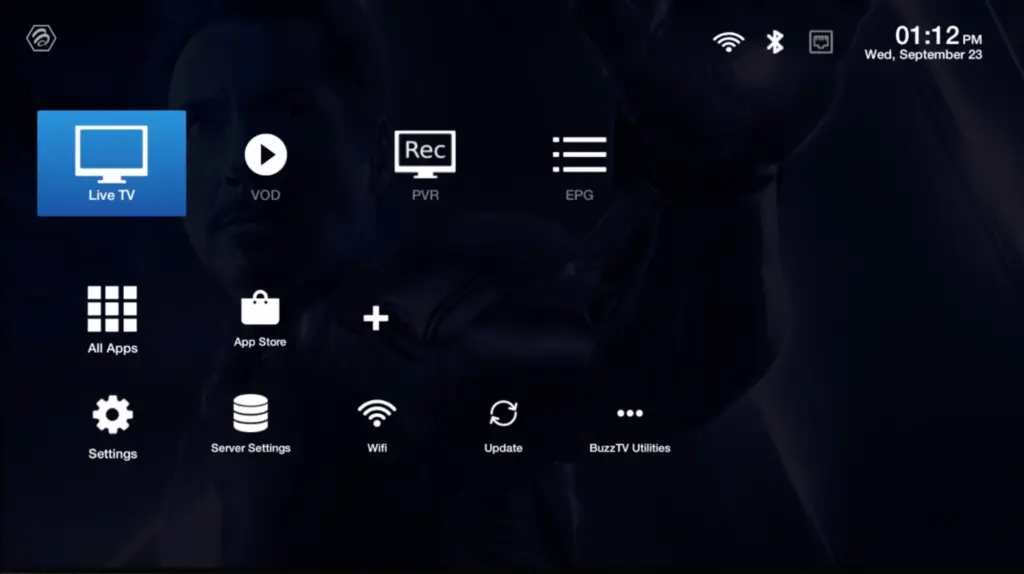
Step 1: Go to Live TV section.
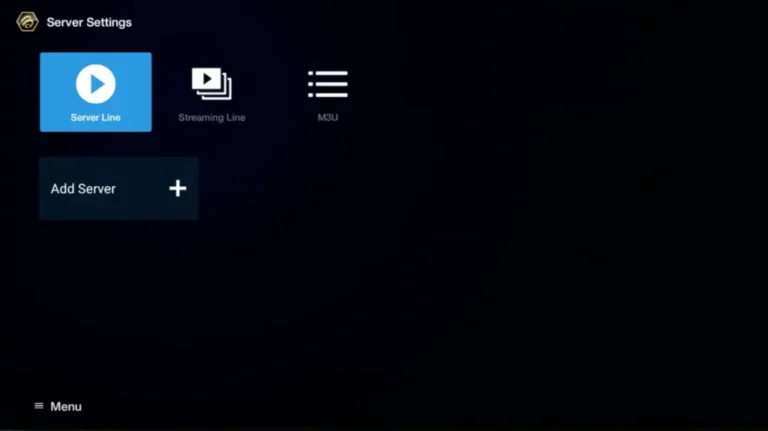
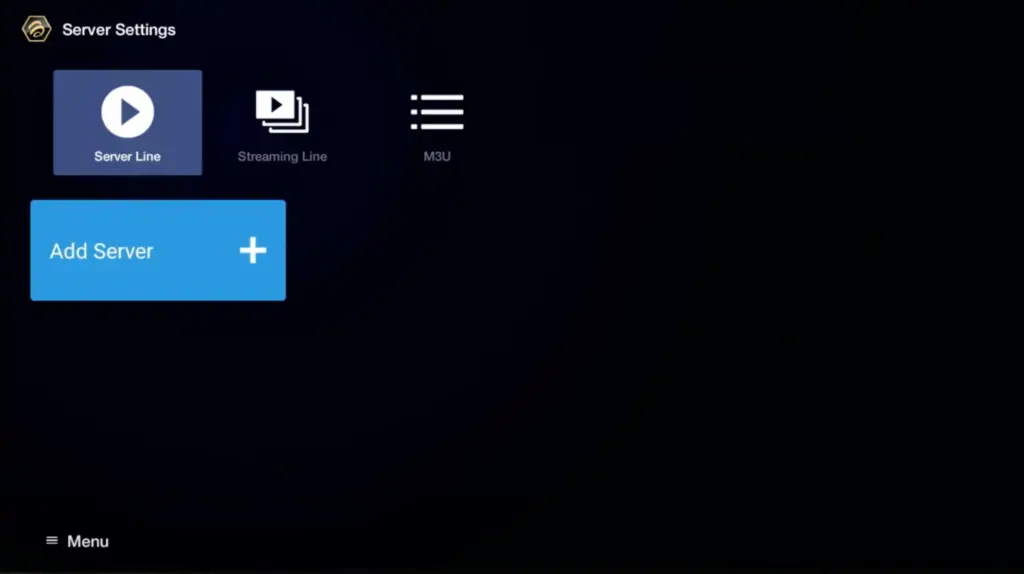
Step 2: Select “Server Line” or “MAC Server“.
Step 3: Click on “Add Server” or “Add MAC Server“.
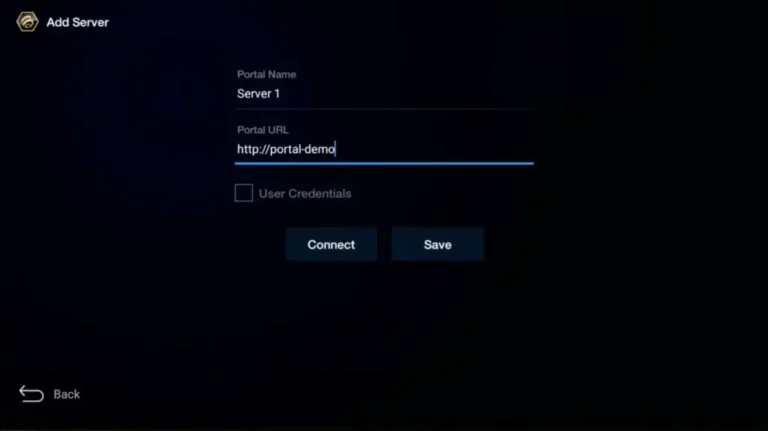
Step 4: Enter “IPTVON” as the Portal Nickname in the first box. Then in the second paste the Portal URL provided by us after subscribing and Click on “CONNECT”.
**Please note, After payment, submit the Form with your device’s MAC address (you can find it at the bottom of your box. Look for a label that says “MAC” or “MAC Address”). This step is essential for activating your IPTVON Service subscription. Get Your Subscription Here.
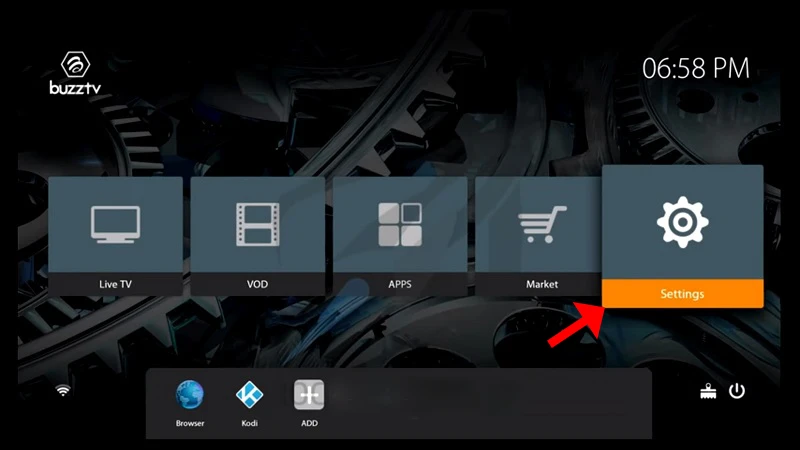
Step 1: On the main menu, click on “Settings”.
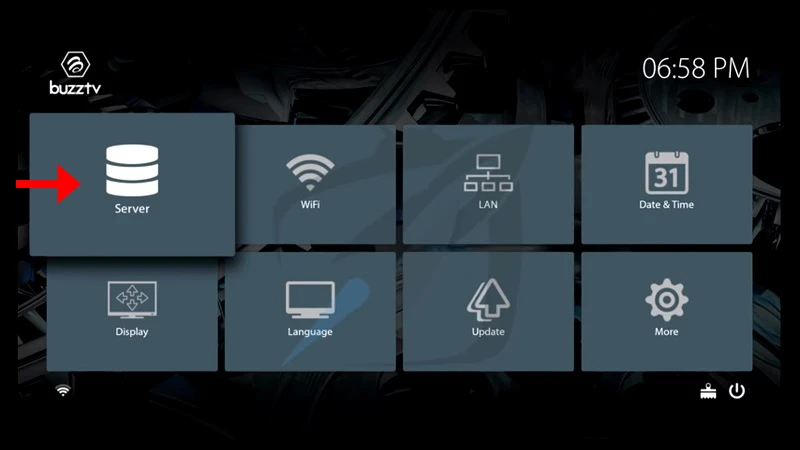
Step 2: Then click on “Servers” and proceed to the next step.
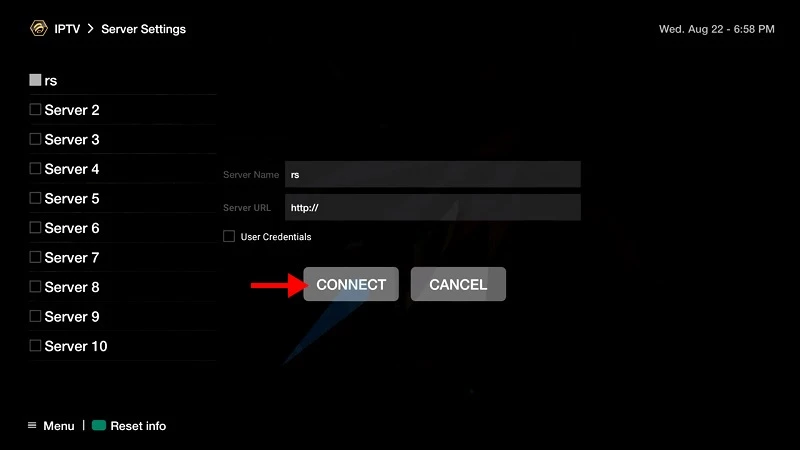
Step 3: Enter “IPTVON” as the Server Name in the first box. Then in the second the Portal URL(server URL) provided by us after subscribing and Click on “CONNECT”.
**Please note, After payment, submit the Form with your device’s MAC address (you can find it at the bottom of your box. Look for a label that says “MAC” or “MAC Address”). This step is essential for activating your IPTVON Service subscription. Get Your Subscription Here.